
Face to Face/Fixed Code Remotes
Key Programming Devices & Programmers
Keydiy OBDSTAR Transponders Xhorse On Sale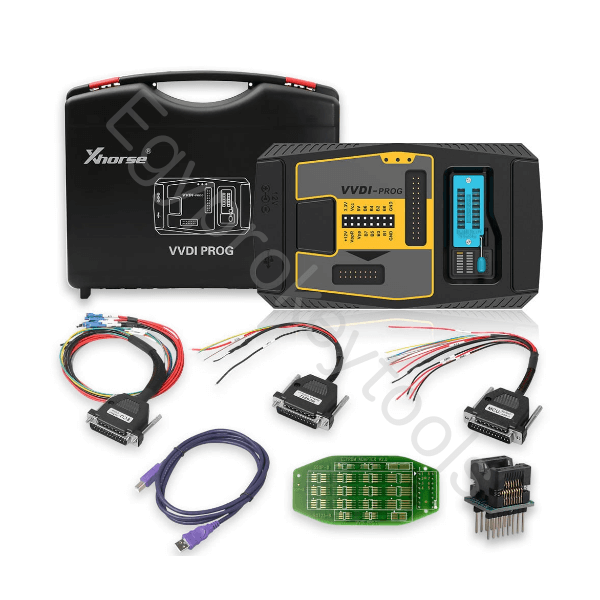

Price is hidden
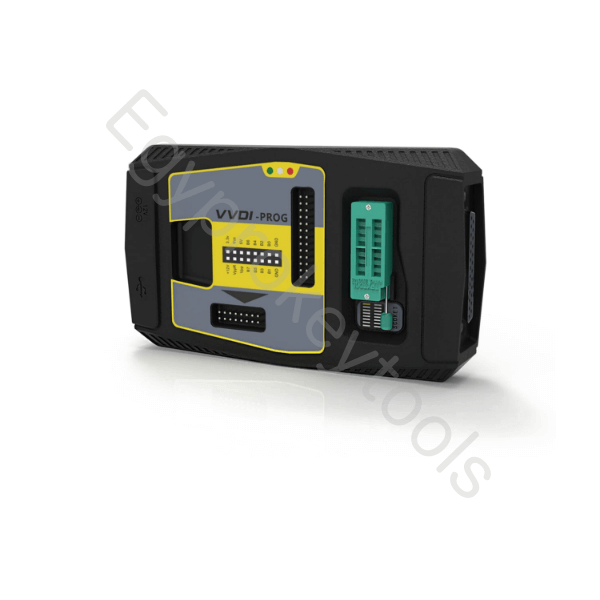
Main Function:
Support R&W lots of chips, include MC9S08 series, MC68HC(9)12series,
MC9S12series, V850series, H8Xseries, R8Cseries, PCF79XXseries and
most eeprom chips etc .
Support chip data verify, checkblank function
Support data file compare function
Support R&W for BMW N20, N55 ECU(show ISN directly)
Stable R&W MC9S12XE series chips(5M48H/1N35H/2M53J/3M25J etc.)
Support renew PCF79XX remote, currently support for BMW E/F series (Please Note PCF79XX adapter is optional)
Lots of connection diagram
1.Built-in update software:Make VVDI Prog firmwareupdatetimely.
2.High-speed USB communication interface:Make software automatically connect.
3.Smart operation mode:possible causes of error will be listed
4.Reserve ports:For future update.
5.Self-test function:Check if the machine works well or not.
6.Power supply:Through USB cable, software will automatically prompt if the external USB power supply is needed
VVDI Prog Programmer Introduction:
Support R&W lots of chips, include MC9S08 series, MC68HC(9)12series,
MC9S12series, V850series, H8Xseries, R8Cseries, PCF79XXseries and
most eeprom chips etc .
Support chip data verify, checkblank function
Support data file compare function
Support R&W for BMW N20, N55 ECU(show ISN directly)
Stable R&W MC9S12XE series chips(5M48H/1N35H/2M53J/3M25J etc.)
Support renew PCF79XX remote, currently support for BMW E/F series (Please Note PCF79XX adapter is optional)
Lots of connection diagram
VVDI Prog Cables and Function:
16Pin Locking Socket
Read the common EEPROOM, note: please insert the chip by following the below picture.

1.3.2 MCU Reflash Cable
Used to program MCU on board

1.3.3 ECU Reflash Cable
Used to program ECU

1.3.4 MC9S12 Reflash Cable
Used to program MC9S12 series chip

How to Update VVDI-Prog Software & Firmware?
Software Update
You can get from our “Download” page or in description,we always list out download link.
Get in VVDI prog software:Click the “Upgrade” button enter the upgrade interface, show as following

VVDIProg Using Tips:
1. DO NOT click firmware upgrade in VVDI Prog software, its firmware is always 2.0 version, no need to update. Or it will get communication server error.
2. Please do wiring 100% same like the connection diagram in VVDIProg software, DO NOT lengthen the connection lines with other parts. Or will fail to read.
3. Operating system: Win XP, Vista, Win7, Win8/8.1, Win10
Package List:
1pc x Programmer multiplexer
1pc x Square USB cable
1pc x SOP16 test socket
1pc x 16pin converter (Support SOP/SOT/SSOP)
1pc x MCU reflash cable
1pc x ECU reflash cable
1pc x MC9S12 reflash cable (Used to program MC9S12 series chip)

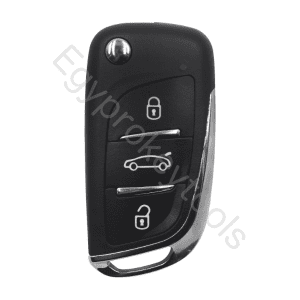
Wired Remotes XK
Xhorse VVDI Wire Flip Remote Key 3 Buttons Type XKDS20EN (XK11)
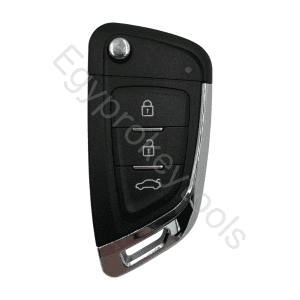
Wired Remotes XK
Xhorse VVDI Wire Flip Remote Key 3 Buttons Type XKKF06EN (XK29)
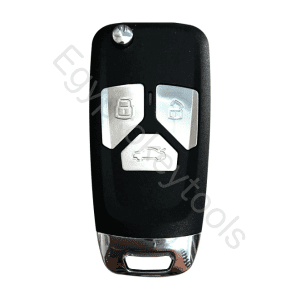
Wired Remotes XK
Xhorse VVDI Wire Flip Remote Key 3 Buttons Type XKAU01EN (XK27-3)
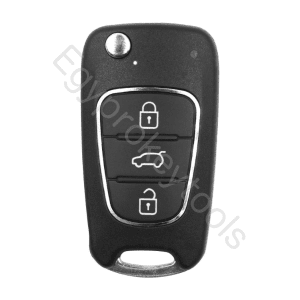
Wired Remotes XK
Xhorse VVDI Wire Flip Remote Key 3 Buttons Type XKHY02EN (XK4)
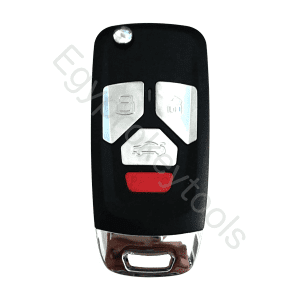
Wired Remotes XK
Xhorse VVDI Wire Flip Remote Key 4 Buttons Type XKAU02EN (XK27-4)
In stock

 AUDI
 BMW/Mini
 Chevrolet
 Chrysler Jeep Dodge
 Citroen Peugeot PSA
 Fiat/Alfa Romeo
 Honda
 Hyundai/Kia
 Jaguar/Land Rover
 Mazda
 Mercedes
 MG
 Mitsubishi
 Nissan
 Opel
 Porsche
 Renault
 Skoda/VW
 Subaru
 Toyota
 Volvo