
Face to Face/Fixed Code Remotes
Key Programming Devices & Programmers
Keydiy OBDSTAR Transponders Xhorse On Sale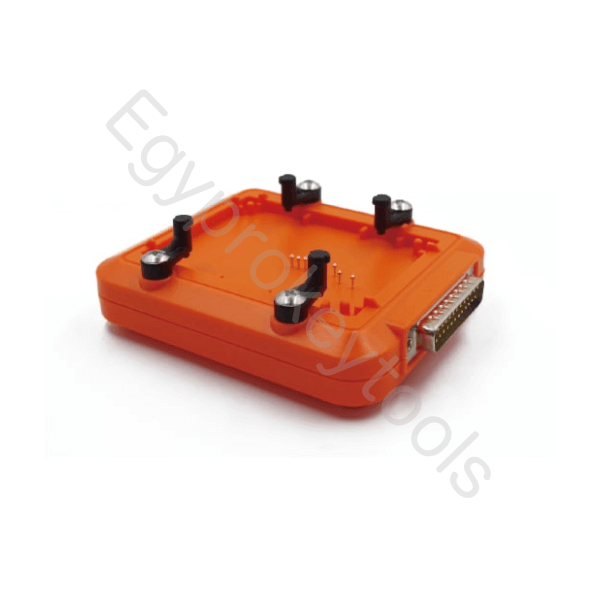
Price is hidden
XHORSE EWS4 Adapter for VVDI prog Programmer
XHORSE EWS4 Adapter for VVDI prog Programmer
Features:
1. Work for VVDI Prog Programmer
2. Choose IMMO>> for BMW>>EWS4.X(ADAPTER), it displays it will need EWS4 adapter.
3. Xhorse VVDI Prog EWS4 Adapter for Easily Reading & Write for BMW EWS 4 Modules Data.
4. No Soldering is Needed, Just put EWS4 Module into the adaptor, tighten it, and then connect it to VVDI PROG.
How to use VVDI Prog EWS4 Adapter
1. Put the EWS4 module in the adapter and lock it
2. Connect VVDI PROG with EWS4 adapter, then connect vvdi prog with the computer
3. Open VVDI Prog software
4. Select Type Immobilizer, Brand for BMW, chip EWS4 adapter
5. Check connection diagram
6. Click Read ID to identify the MCU and make sure that the connection is correct to avoid possible failures
7. Chip initialization, make sure all chip type matches
8. It has to match any of them, if not, it is connected badly
9. Click Read to read EEPROM data and save it
.


Put EWS4 module in the adapter and lock it
Package List:
1pc x XHORSE EWS4 Adapter for VVDI prog Programmer

Wired Remotes XK
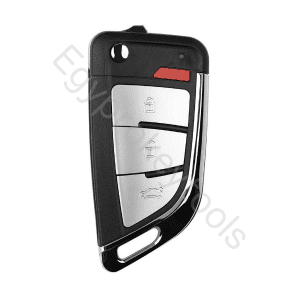
Xhorse VVDI Wire Flip Remote Key 3 Buttons Type XKKF05EN (XK29 B)
Wired Remotes XK
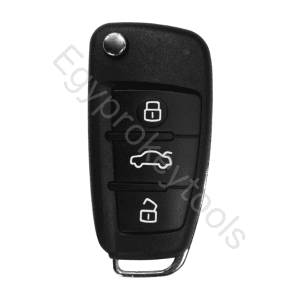
Xhorse VVDI Wire Flip Remote Key 4 Buttons Type XKKF20EN (XK35-4)
Wired Remotes XK
Xhorse VVDI Wire Flip Remote Key 3 Buttons Type XKA620EN (XK2)

Wired Remotes XK
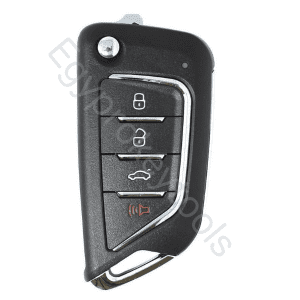
Xhorse VVDI Wire Flip Remote Key 4 Buttons Type XKAU02EN (XK27-4)
Wired Remotes XK
Xhorse VVDI Wire Flip Remote Key 4 Buttons Type XKCD02EN (XK21)
Out of stock

 AUDI
 BMW/Mini
 Chevrolet
 Chrysler Jeep Dodge
 Citroen Peugeot PSA
 Fiat/Alfa Romeo
 Honda
 Hyundai/Kia
 Jaguar/Land Rover
 Mazda
 Mercedes
 MG
 Mitsubishi
 Nissan
 Opel
 Porsche
 Renault
 Skoda/VW
 Subaru
 Toyota
 Volvo